
Integrated Business System (MVS)
MSV operates a web-based integrated business system. HR, attendance, leave, payroll, e-labour contracts, e-approval, work boards, reporting, statistics, partners, inventory and e-invoicing are handled in one login.
Shortcuts
Name
Minsub Ventures System
MVS is the product brand encompassing Minsub Ventures System, reflecting venture: initiative, execution and growing operations together. As an integrated business system, it aims to bring internal workflows together in one place.
Scope
Key capabilities
Module mix depends on scope. Representative capabilities from www.mvsystem.in and the in-house MVS codebase include:
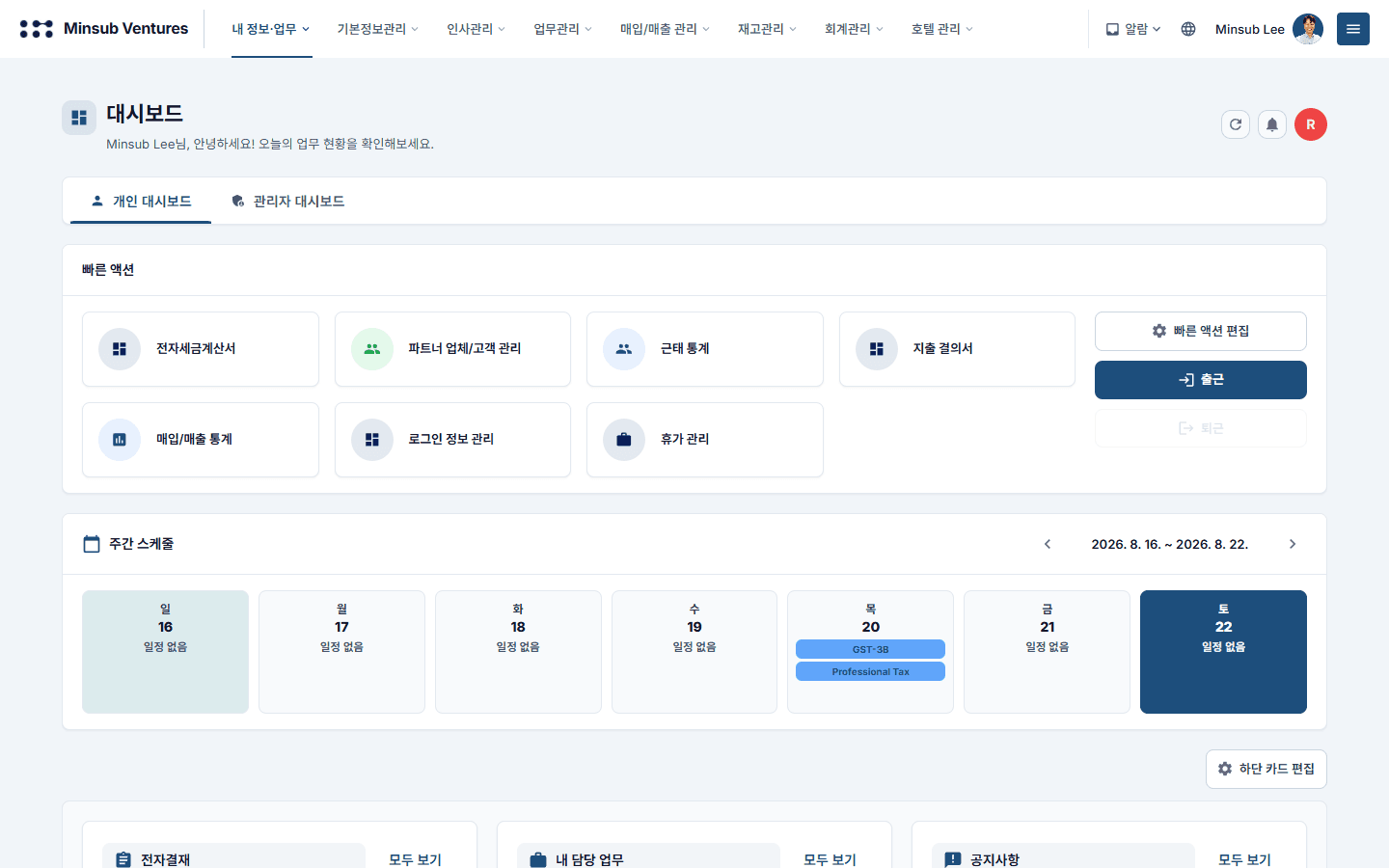
• Dashboard — executive, admin and team summaries
• Master data·organisation — companies·users·departments·positions·org chart, partners·customers·contracts
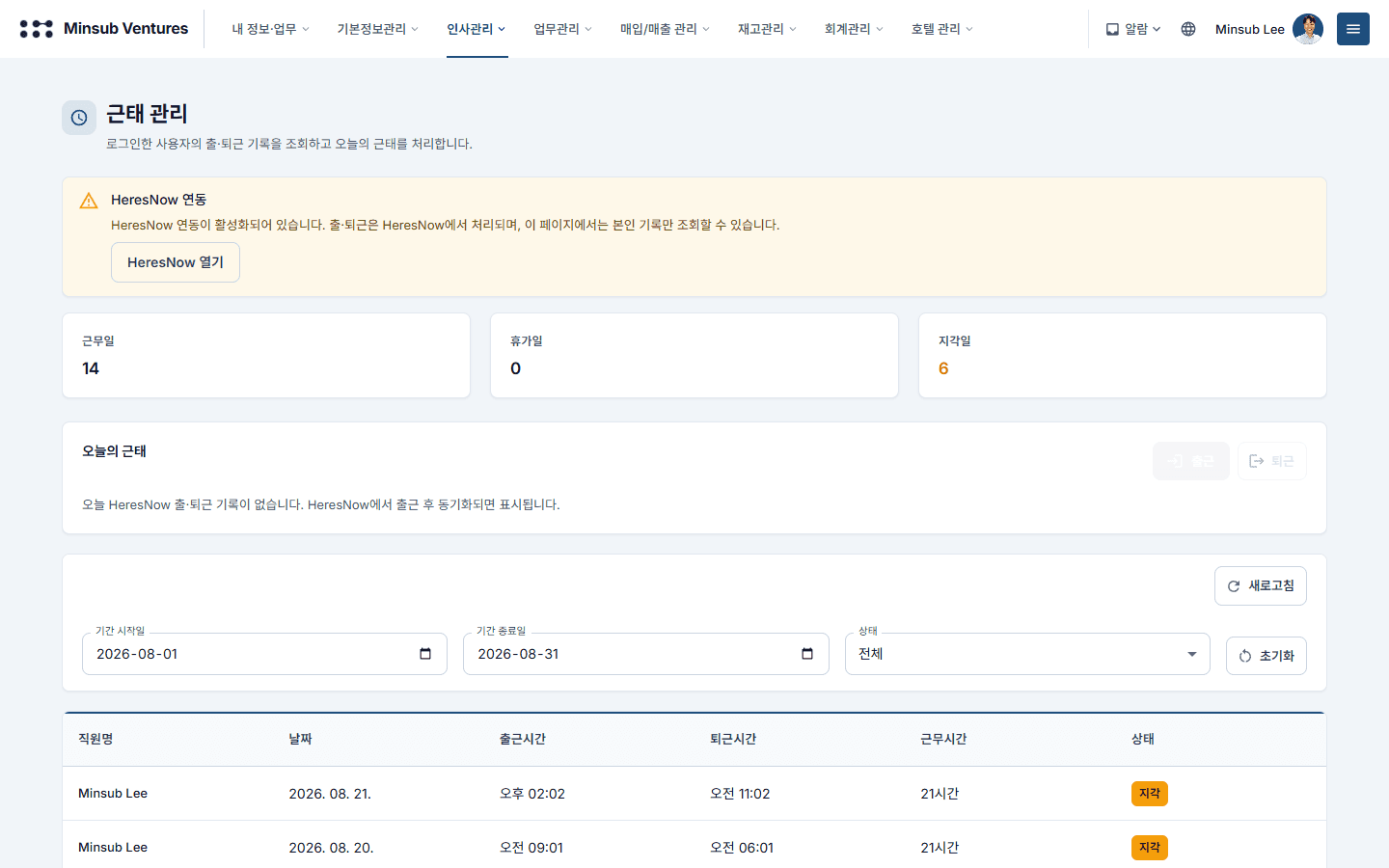
• HR·attendance — clock-in/out and statistics, leave requests·management, payroll·payslips·payslip email, e-labour contracts
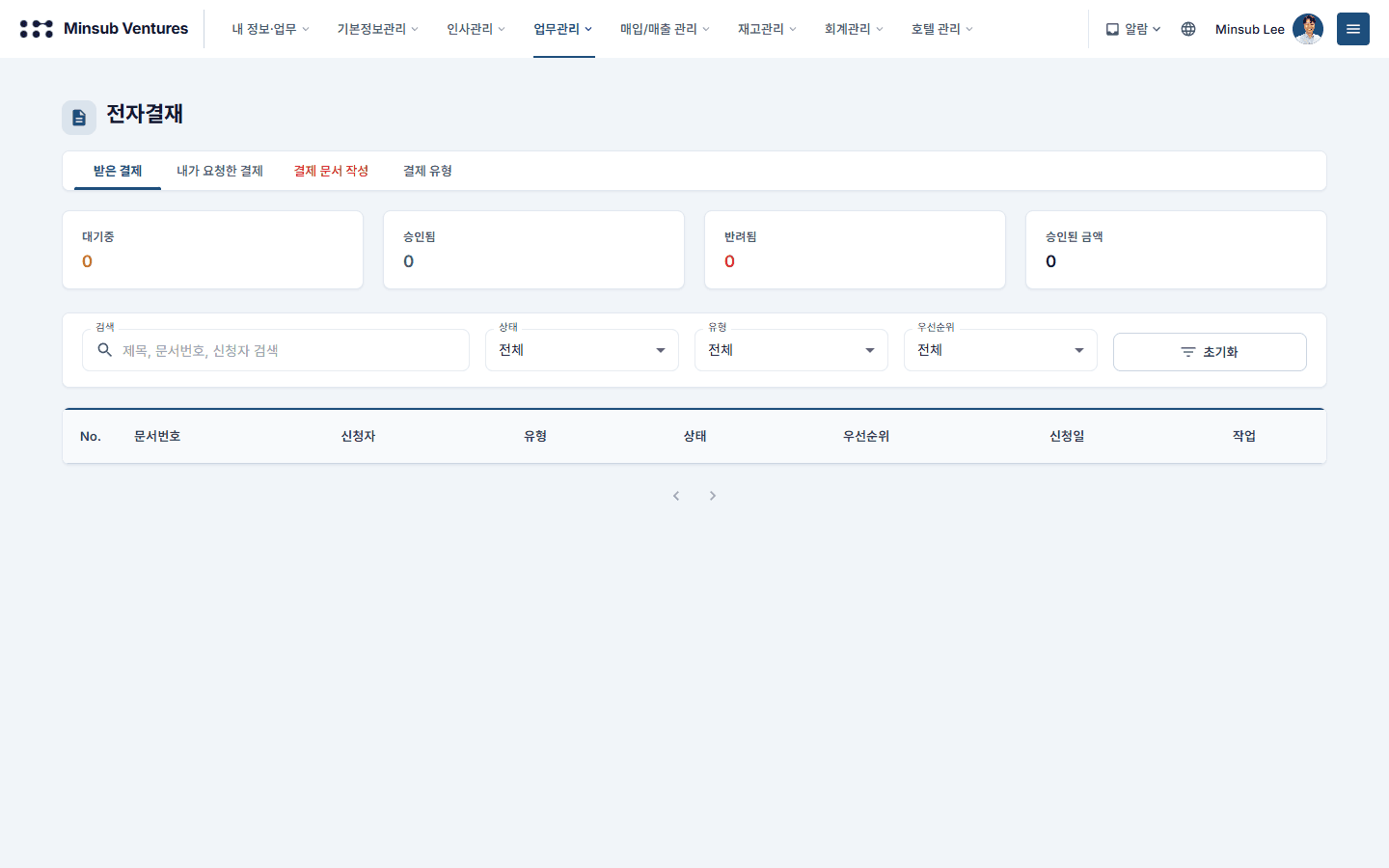
• Work — e-approval, Kanban boards, work reports·statistics, tasks·projects, room booking
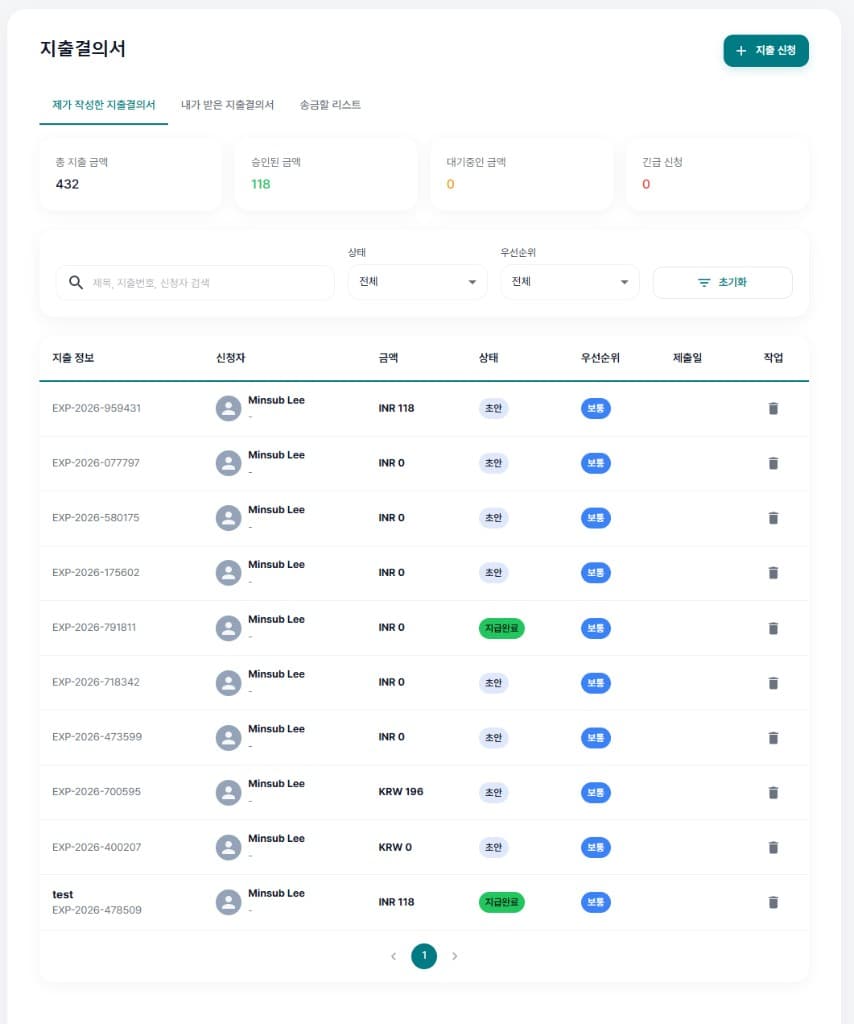
• Accounting — chart of accounts·vouchers·GL, P&L·balance sheet, corporate·advance tax, expenses·expense resolutions, accounting statistics, optional Tally·SAP import
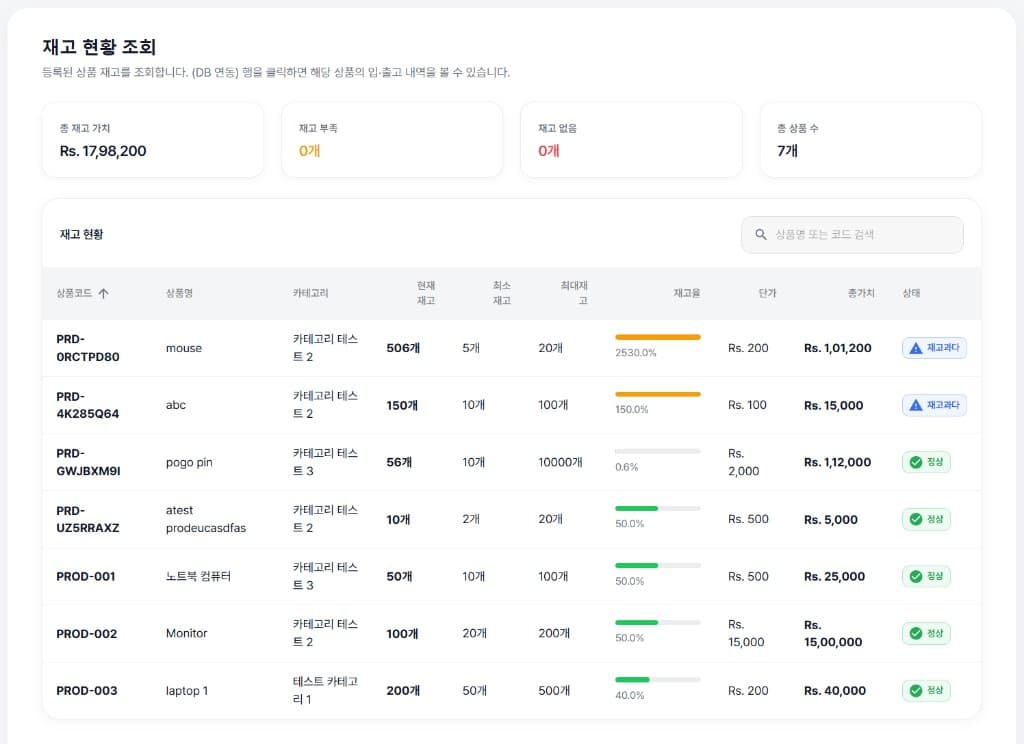
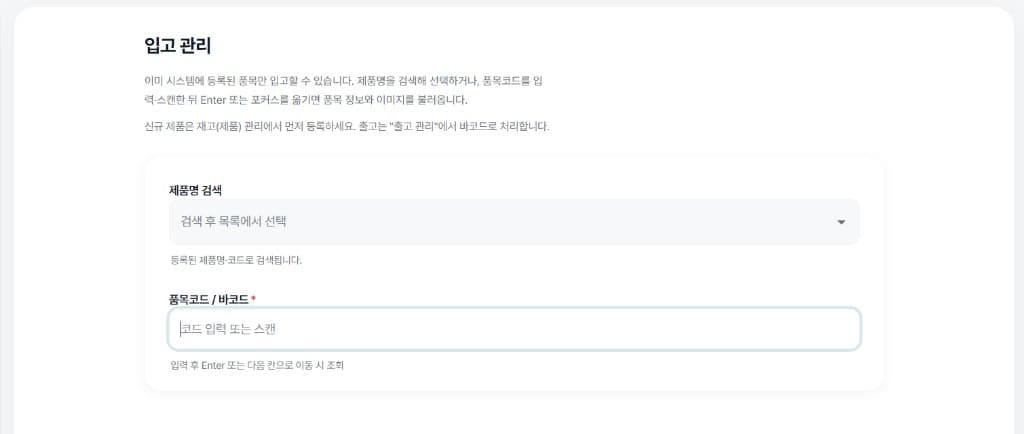
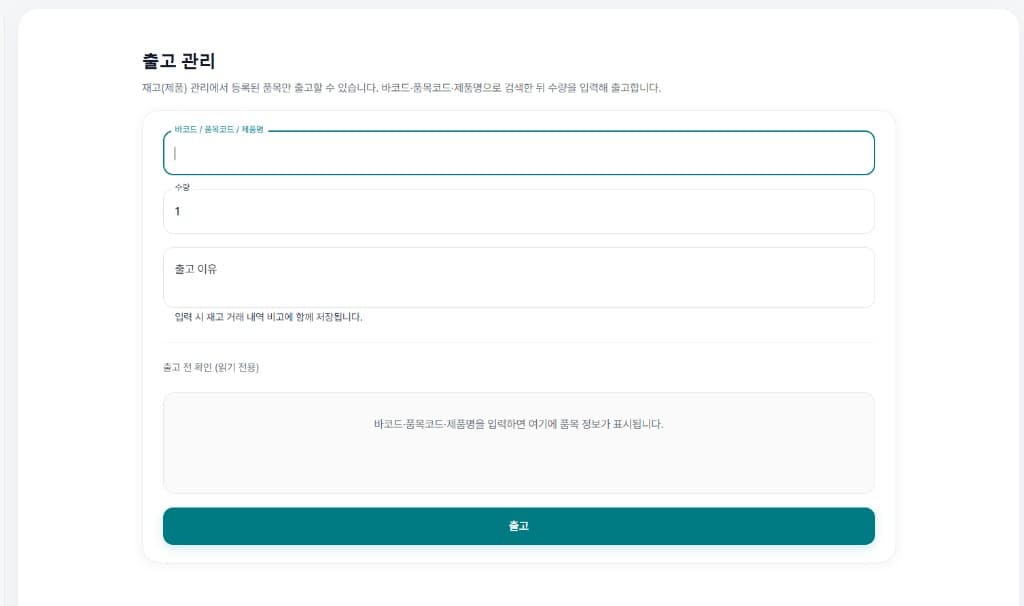
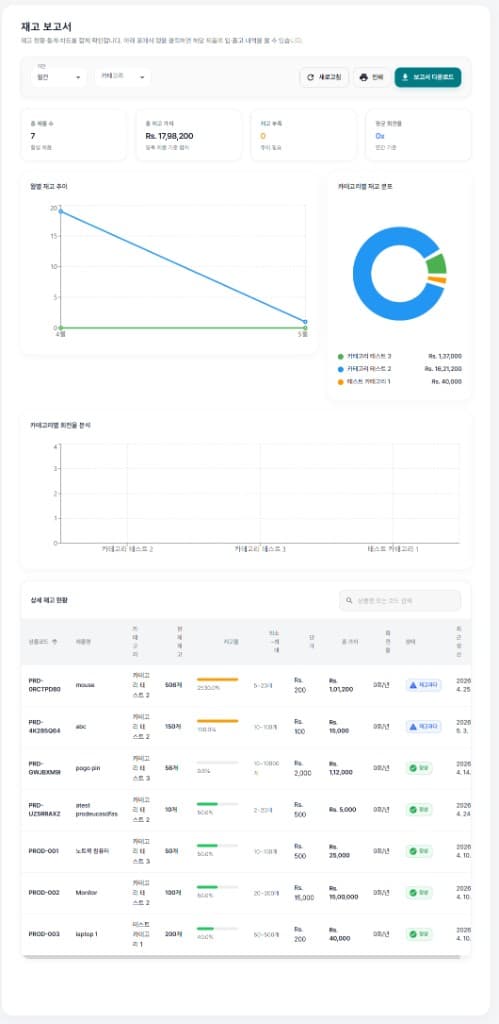
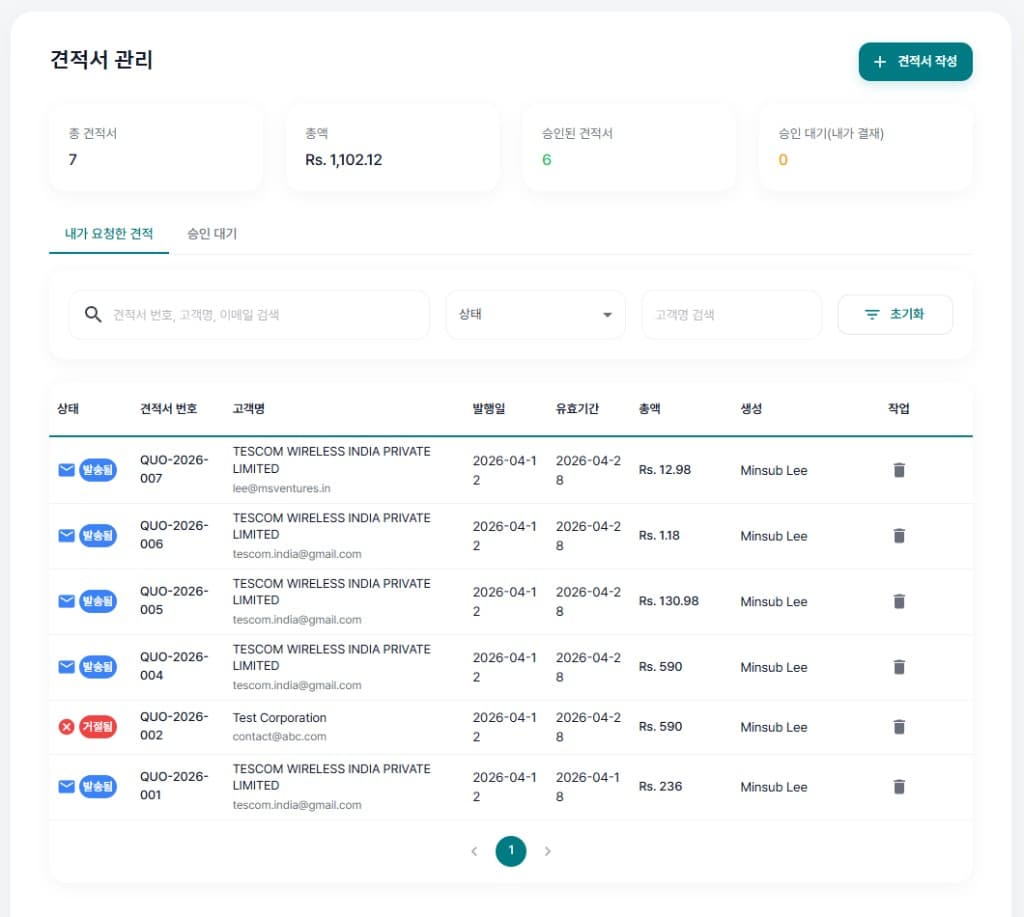
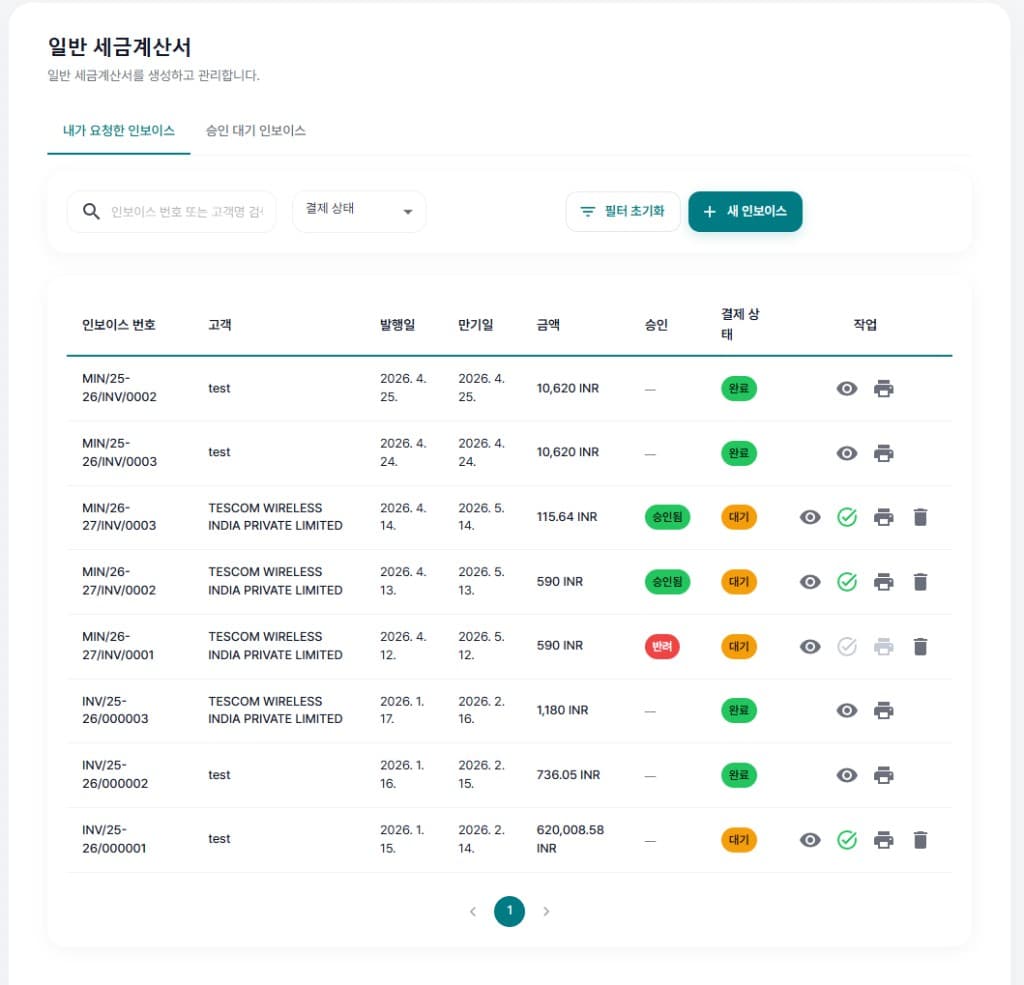
• Inventory·documents — stock status·receiving·shipping·barcode·reports, quotations, regular tax invoices, e-invoicing·proforma, expense resolutions
• Communication — notices, email·SMS, desktop notifier
• AI analytics (optional) — forecasting, efficiency metrics, recommendations, cost analysis
• Hotel module (optional) — front desk·reservation status
• System — menu·permissions, login history, SMTP·notifications, personal·system settings
• My workspace — my tasks·payslips·profile·mail settings
Multi-tenant SaaS with per-company data isolation, per-user menu rights (view·create·edit·delete), Korean·English UI and real-time notifications.
Inventory follows registered SKUs through inquiry, movements and summary reports; quotations, invoices and expense flows track draft·approval·payment·payout on screen. See the screenshots below for UI patterns.
Accounting, tax and statutory filing can be wired to the external service line where required.
Overview
Overview
MVS (MS Ventures System; some materials also use the full product name Minsub Ventures System) is a web-based integrated business system owned and operated by MSV (Minsub Ventures Private Limited). The product site is www.mvsystem.in. Dashboard, master data·organisation·users·roles, attendance·leave·payroll, e-labour contracts, e-approval·task boards·reports·statistics, partners·customers, inventory·e-invoicing and other day-to-day work are organised as modules. Tenant isolation, SMTP·notifications, language·currency (e.g. INR), clock-in radius·session·password policy and similar controls are managed in system settings.
Employees get clock-in/out, attendance, leave requests and payroll views; administrators get approvals, Excel integration, roll-ups and audit in the same product. Where needed, accounting, tax and compliance execution can be designed together with the in-house CPA-led service line.
Company profile, vision and milestones are on the About page.
Screens
Screenshots
The captures below show representative MVS screens: dashboard, attendance, e-approval, inventory, quotations, general tax invoices and expense resolutions. Numbers, labels and visible fields may vary by tenant, role, currency and language settings.
Next steps
Learn more
Vision, leadership message and milestones are on the About page.
Service lines and examples are on the Services page.
Go to software and services, or leave a message about adoption and integrations.